
CBS Sports: Live Scores & News
CBS Interactive, Inc.Sports
4.537.07K Reviews
- Version
- 10.79
- Installs
- 10.00M
- Age Rating
- Everyone
Screenshots
Our Review of CBS Sports: Live Scores & News
 Analysis by Appyee
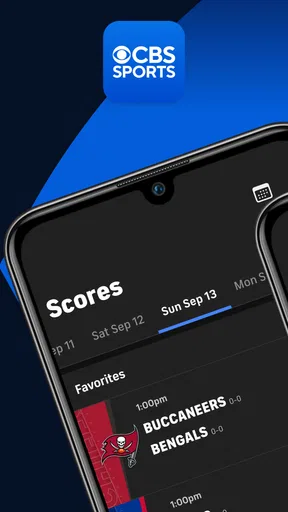
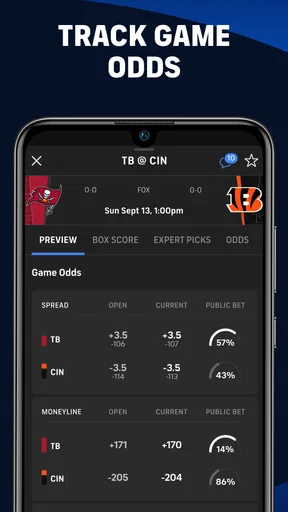
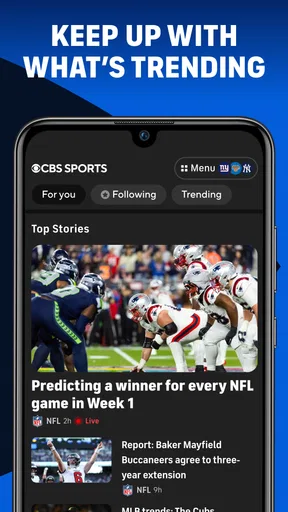
I tend to judge a sports app by what it helps me do between games, not just by how much information it can display. CBS Sports App: Scores & News is most useful when I want to follow live results, keep up with teams I care about, and catch up on sports coverage without opening several separate sources. Its main appeal is convenience: it brings scores, news and video into one place, while still letting me focus on selected teams and sports.
That all-in-one approach has a trade-off. A broad sports feed can be busier than a league-specific app, and a stream of alerts can become distracting if I leave every option switched on. I’d treat this as a flexible sports hub rather than a substitute for watching a game or a specialist source for every competition. Whether it is worth keeping depends on how often you follow scores and how much you value having more than one sport in the same app.
What the free access does—and does not—settle
The app is free to download, so trying its basic experience does not require an upfront purchase. CBS Interactive, Inc. is the developer, and in-app purchases are offered, with listed prices ranging from $4.99 to $99.99 per item. That range is a reason to check the purchase details carefully before paying; it is not a reason to assume that every useful feature requires a purchase. I would decide based on what the app itself presents at the moment I use it, rather than treating the presence of in-app purchases as a blanket subscription requirement.
For someone who mainly wants scores and sports news, the free entry point makes it easy to see whether the app fits their habits. The key distinction is between access and value: downloading it costs nothing, but a paid item is only worthwhile if its specific contents match what you want. I would not spend just because I follow a team. First, I’d use the regular app, see whether its coverage and alerts are enough, and then consider any purchase on its own merits.
Your Go-To for Sports Updates
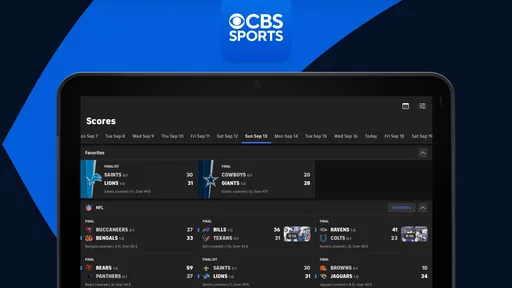
First off, the CBS Sports App is packed with features that cater to almost every sports enthusiast. Whether you’re into football, basketball, or even golf, this app has you covered. One of the coolest things is the live scores feature. I was in the middle of a meeting and couldn’t watch the game, but the app kept me updated with live scores in real-time. Talk about a lifesaver!
Useful when your attention is split
A score app earns its place when I can’t give a game my full attention. For example, if I’m commuting or working through a busy afternoon, I can check the result and then decide whether I want to read more or watch a highlight later. That is a different job from a live broadcast: the app helps me stay informed in short moments, but it cannot replace seeing the match unfold if the action itself is what I care about.
There is also a practical way to keep a busy schedule from turning the app into a distraction. I’d choose only the teams and sports I genuinely follow, then enable alerts for the events that matter most. That creates a useful distinction between a score I want to know immediately and general news I can read when I have time. If every team or alert category is selected, the convenience can quickly give way to notification overload.
Sleek and Intuitive Design
No one likes a clunky app, right? Luckily, this app is anything but. The design is sleek and super easy to navigate. It’s like they knew exactly what we needed and delivered it perfectly. Even if you’re not tech-savvy, you’ll find it easy to jump between different sports or check out the latest news articles.
That ease matters most when I open the app for one quick answer. I don’t want to spend the break in a conversation hunting through unrelated coverage just to find a score. The broad selection is useful when I follow several sports, but it can feel less focused than a dedicated league app when I care about one competition above all others. If depth on a single league is the priority, a specialist app may be a better fit; if I want several sports under one roof, CBS Sports has the more convenient shape.
Personalization at Its Best
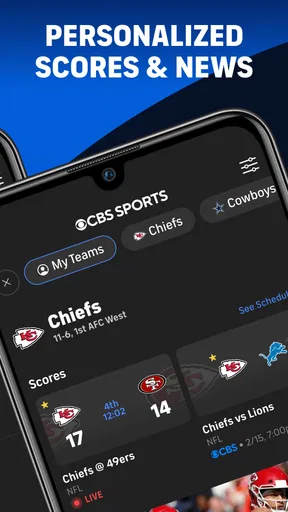
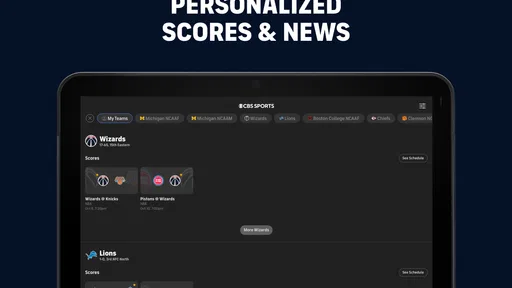
What really sets this app apart for me is the personalization feature. You can customize your experience based on your favorite teams and sports. So, if you’re all about the NFL or can’t get enough of the NBA, the app will prioritize updates and news about those. It’s like having your own personal sports assistant!
I see team selection as more than a cosmetic setting: it is a way to make a large sports feed manageable. A helpful routine is to review those choices when a season ends or when my interests change, rather than letting old favorites keep shaping what I see. I would also use personalization to balance breadth and focus—for instance, follow one primary team closely while keeping a second sport available for occasional score checks. That makes the app useful to a multi-sport fan without asking every visit to become a full sports-news session.
Video Highlights and Analyses
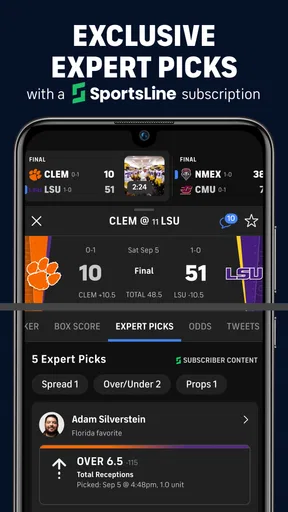
Missed a game? No worries! The app provides video highlights and expert analyses that keep you in the loop. I found the quality to be top-notch, and the insights were pretty spot-on. It’s perfect for those who want to catch up quickly or dive deeper into game strategies and player performances.
Highlights work best for me as a recap, not as a promise that I have experienced the whole event. They can help answer “what happened?” after I missed a game, while analysis gives me more context than a score alone. If I’m following a close contest or want the atmosphere and full sequence of play, I’d still choose a live viewing option where available. This app’s advantage is the quick catch-up path: check the result, look for a video, then decide whether the story deserves a longer read.
Oh, and it’s worth mentioning that if you’re someone who loves a good debate or discussion, the app includes comment sections where you can engage with other fans. It adds a whole new level of interaction that’s both fun and informative.
I’d approach those discussions as an optional extra rather than the reason to install the app. Fan reactions can make a result more entertaining to follow, but comment threads are not the same as verified reporting or expert analysis. When I want dependable context, I look to the article or video; when I want to see how other supporters are reacting, the comments can add a social layer. That distinction helps keep the conversation enjoyable without mistaking opinion for coverage.
Notifications That Keep You Informed
I know, notifications can be a double-edged sword. But here, they’re actually useful. You can set them up to get alerts on scores, breaking news, or even just when your favorite team is playing. It’s a great way to stay informed without constantly checking your phone.
The most sensible setup is selective. I’d begin with game and score alerts for the teams I follow closely, then add breaking-news notifications only if I want frequent updates. If I’m travelling, busy, or trying to concentrate, fewer alerts make the app more helpful rather than less. This also answers a common practical question: you do not need to keep opening the app to get value from it, but the alert settings should reflect how much interruption you are comfortable with.
Where it fits beside other sports apps
Compared with checking separate league apps, team sites, and general news feeds, CBS Sports is appealing when I want one place to move between scores, articles, video and discussion. The compromise is that a single broad app may not suit someone who wants the most specialized experience for just one sport. It is also not the right choice for a person whose main need is watching live games; scores and highlights are useful companions, but they are not the same as a broadcast.
For a casual follower, a general sports news app or a quick web search may be enough, especially if they only check a result now and then. For someone tracking several teams or switching between football, basketball and golf, this app’s range can reduce the need to hop between sources. I’d choose based on the task: a specialist service for league-specific depth, a viewing service for live action, and CBS Sports when I want a broad, regularly checked sports dashboard.
Who is likely to get the most from it?
I think it suits fans who want scores and news in brief visits throughout the day, particularly people who follow more than one sport. It can also help someone who misses games but still wants a quick recap and some analysis. The app is rated for Everyone, and it has an average rating of 4.6 from around 242,000 ratings, with more than 10 million installs. Those figures suggest a well-established audience, but they do not tell me whether its particular mix of coverage and alerts will suit an individual reader.
I would skip it if I only care about one narrow competition and already get everything I need from a dedicated source, or if I want uninterrupted live viewing rather than score checks and recaps. I would also avoid turning on every alert simply because the choices are available. The value comes from shaping the feed around real interests, not from receiving the greatest possible volume of updates.
Compatibility and a sensible first try
The current version is 10.67.1, and the app requires iOS 9 or later. It first arrived on August 30, 2011, so it has been around long enough to become a familiar option for sports followers. Before installing, I’d check that the operating system on my device meets the requirement. After opening it, I would pick a small set of favorite teams, look at how scores and news are organized, and adjust notifications only after seeing what I actually want to receive.
That short trial is also the best way to judge the paid side. Since the app is free to download but offers in-app purchases, I would not assume that a purchase is necessary for my usual score-checking routine. I’d first identify what a particular paid item includes and ask whether I would use it often enough to justify its price. If the free experience already covers my needs, there is no reason to buy something merely to unlock a more complete-sounding version of a sports app.
My buy-or-skip verdict
Overall, the CBS Sports App: Scores & News really impressed me with its comprehensive coverage and user-friendly features. If you’re someone who eats, sleeps, and breathes sports, this app is definitely worth a try. So go ahead, give it a download and see for yourself how it transforms your sports-watching experience!
My more measured recommendation is to try it if you want a free-to-download way to keep up with several sports, follow selected teams, and catch up through news or video when you have a spare moment. I would not pay for anything until I had checked exactly what it offers and confirmed that it solves a real need for me. For a multi-sport fan who values quick updates, it is an easy app to test; for a single-league specialist or someone seeking live viewing first, another focused option may be the better choice.
Privacy and Permissions
See what permissions an app requests and how it handles your data.
- Location
- approximate location (network-based), precise location (GPS and network-based)
- Photos/Media/Files
- read the contents of your USB storage, modify or delete the contents of your USB storage
- Storage
- read the contents of your USB storage, modify or delete the contents of your USB storage
- Wi-Fi connection information
- view Wi-Fi connections
- Other
- view network connections, allow Wi-Fi Multicast reception, full network access, control vibration, prevent device from sleeping
Verdict
Strengths of CBS Sports: Live Scores & News
- User-friendly interface for easy navigation.
- Real-time score updates and news alerts.
- Customizable notifications for favorite teams.
- In-depth analysis and expert opinions.
- Wide coverage of various sports events.
Limitations of CBS Sports: Live Scores & News
- Occasional ads disrupt user experience.
- Some features require a subscription.
- Can drain battery quickly on mobile.
- Limited offline content availability.
- Frequent updates may cause app crashes.
Other Releases by CBS Interactive, Inc.
View All


Similar Picks in This Category
View All
BeSoccer: Soccer Live Score
BeSoccer apps4.3

Cricbuzz - Live Cricket Scores
Cricbuzz.com3.7

NFL
NFL Enterprises LLC2.4

Da Fit
MO YOUNG LIMITED3.6

ESPN
Disney4.5

LiveScore: Live Sports Scores
LiveScore Limited4.5
Frequently Asked Questions
What features does the CBS Sports App offer?
The CBS Sports App provides real-time scores, news, and updates for a variety of sports, including football, basketball, baseball, and more. It also offers live streaming of select events, personalized notifications, and expert analysis. The app allows users to customize their experience by selecting favorite teams and leagues.
Is the CBS Sports App free to use?
Yes, the CBS Sports App is free to download and use. However, some features, like live streaming of certain events, may require a subscription or cable login. The app may also include ads, but these can be removed with an in-app purchase for an ad-free experience.
Can I customize notifications on the CBS Sports App?
Absolutely! The CBS Sports App allows users to tailor notifications according to their preferences. You can choose to receive alerts for specific teams, games, or sports. This customization ensures that you only get updates that matter to you, helping you stay informed without being overwhelmed by unnecessary notifications.
Does the CBS Sports App support live streaming?
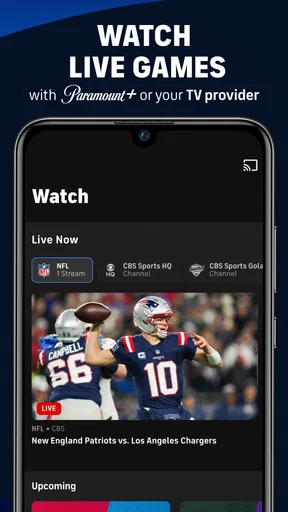
Yes, the CBS Sports App supports live streaming of select sports events. However, access may vary based on your region and may require a subscription or cable provider login. This feature allows you to watch games and events live from your mobile device, ensuring you never miss the action.
How can I ensure the CBS Sports App works smoothly on my device?
To ensure optimal performance, make sure your device meets the app's system requirements and has the latest updates installed. Regularly clearing cache and ensuring a stable internet connection can also enhance performance. For any issues, the app's support section can provide troubleshooting assistance.
